
The basics
What is a desktop trading journal?
A desktop trading journal is a program you install on your own computer to record, review and analyze your trades. Instead of logging into a website, you open an application. The journal — every trade, note, screenshot and label — lives in a file on your PC rather than in someone else’s database. Think of it as trading diary software and trade logging software in one: a trading log that fills itself from your broker, plus the tools to learn from it.
Tradelics is built exactly this way for Windows 10 and 11. Each trade carries its plan (risk, planned R:R, entry and stop), chart screenshots, your strategy, signal and confirmation labels, and a Trade Review that walks you through planning, execution, psychology and discipline. All of that feeds your metrics. The full tour is on the features page.
Local or cloud
Local vs cloud: where should your trading journal live?
Neither approach is wrong, and each has real trade-offs. Cloud journals are reachable from any browser or device and need nothing installed. A desktop journal trades that convenience for control: your data sits on your machine, the software keeps working without a connection, and you are not dependent on a provider staying online.
Desktop journal (local)
Your trade history stays on your PC. Everyday journaling, analytics and reporting work with no internet connection. Because the journal is a file on your machine, keeping a backup of it is up to you, as with any other important file.
Cloud journal (hosted)
Your data lives on the provider’s servers, so you can open it from any device. In return you depend on their service, and an account and login are part of the deal.
With Tradelics, your trade history, strategies and broker credentials are stored locally on your PC, with broker credentials encrypted, and nothing is transmitted to any server. Internet is needed only for a few specific things — license activation, live exchange rates if you trade in several currencies, and cTrader or Kraken sync. More in the FAQ.
Automatic imports
Import your trades automatically — or from any CSV.
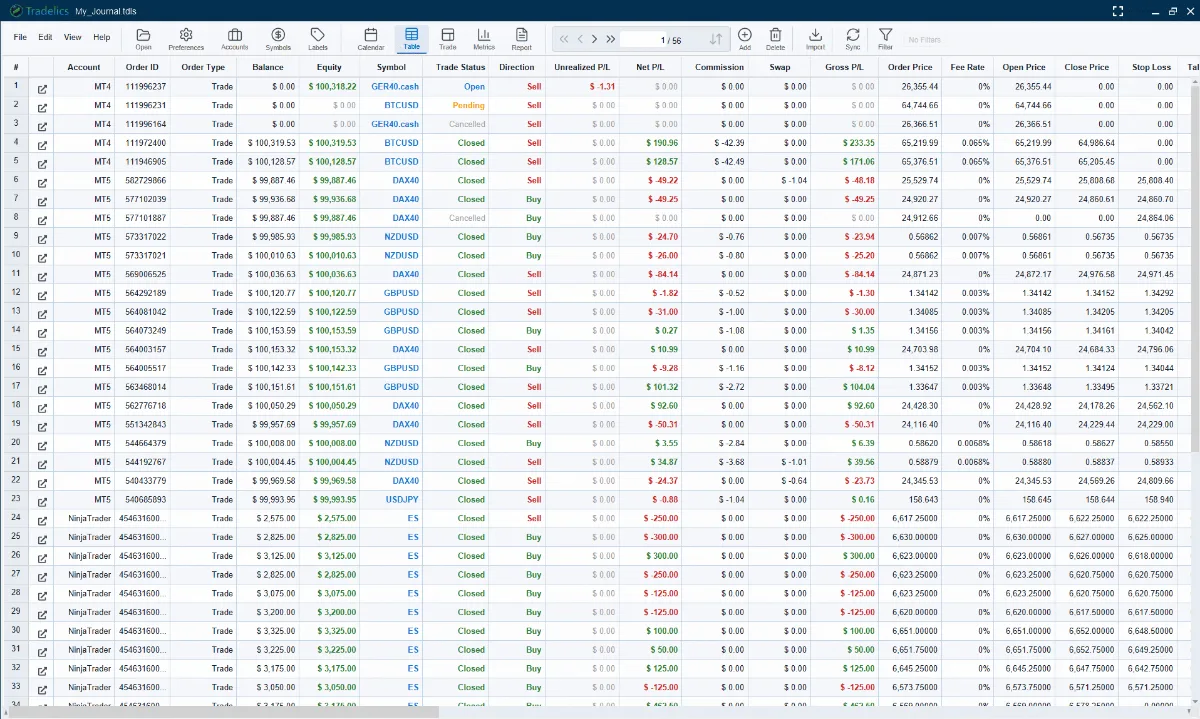
A trading journal is only as good as the data in it, so Tradelics connects to your platform and pulls your history for you. Setup takes a few minutes, and the app only ever reads: it never places, modifies or closes a trade. Step-by-step setup for each platform is in the user guide; if MetaTrader 5 is your platform, see the dedicated MT5 trading journal page.
Local sync
MetaTrader 5
MT5 usually needs no password at all — if your terminal is already signed in to the account, Tradelics reads that open session through a small local service.
Local sync
MetaTrader 4
A setup wizard installs two small MQL4 files into your terminal. They write your history to a CSV that Tradelics picks up automatically.
Local sync
NinjaTrader 8
Tradelics reads NinjaTrader’s own local trade database directly. No plugins or exports needed.
Online sync
cTrader
A single authorization in your browser, then Tradelics reads your account from cTrader’s servers. No bridge and no platform running. cTrader sync needs an internet connection.
Online sync
Kraken
Tradelics connects to Kraken through its API using your API key. Kraken sync needs an internet connection.
File import
CSV import
Works with any broker — TradingView, FTMO, Bybit and more — and a custom mapping wizard handles formats that are not detected automatically. Files are read right on your PC.
Once connected, every order syncs automatically: open positions, pending orders and closed trades, not just what is already finished. MetaTrader 5, MetaTrader 4, NinjaTrader and CSV import are read from your own PC, with no Tradelics server in between; cTrader and Kraken sync through their API over the internet, for now — more brokers are on the way. Everything already in your journal opens any time.
Analytics
From a trading log to an edge you can measure.
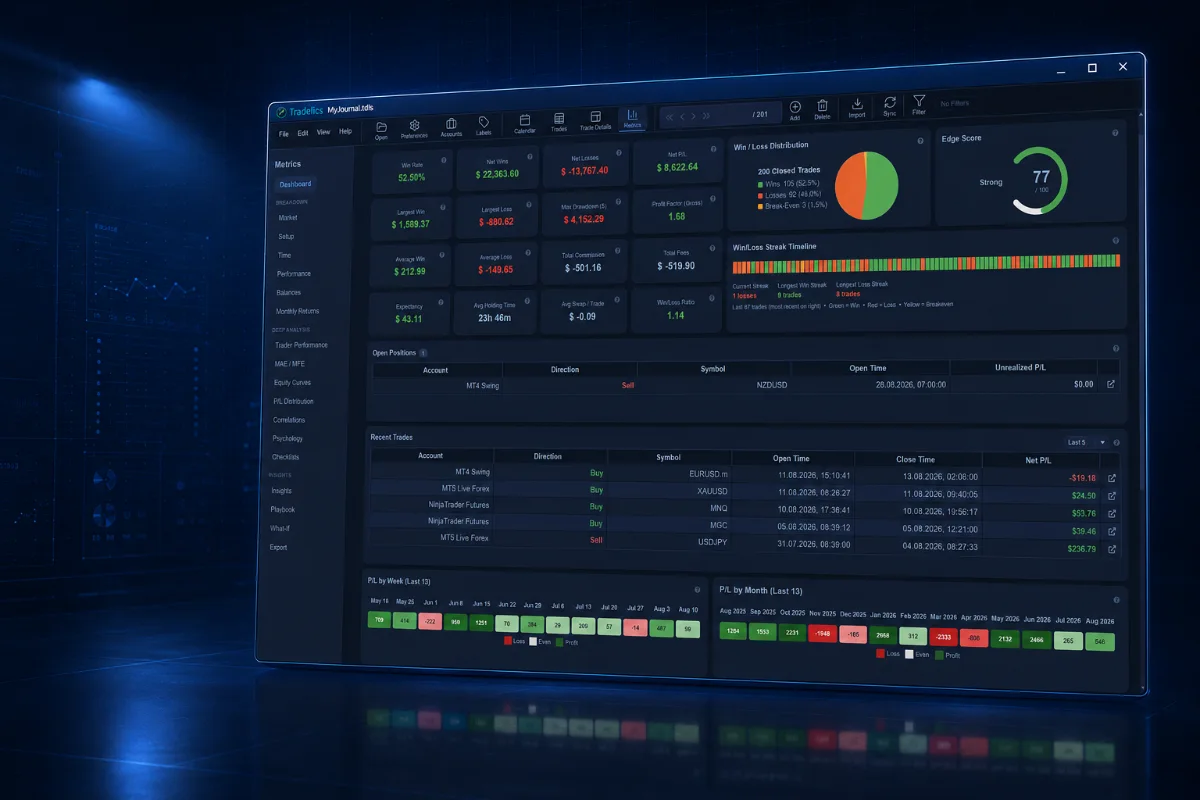
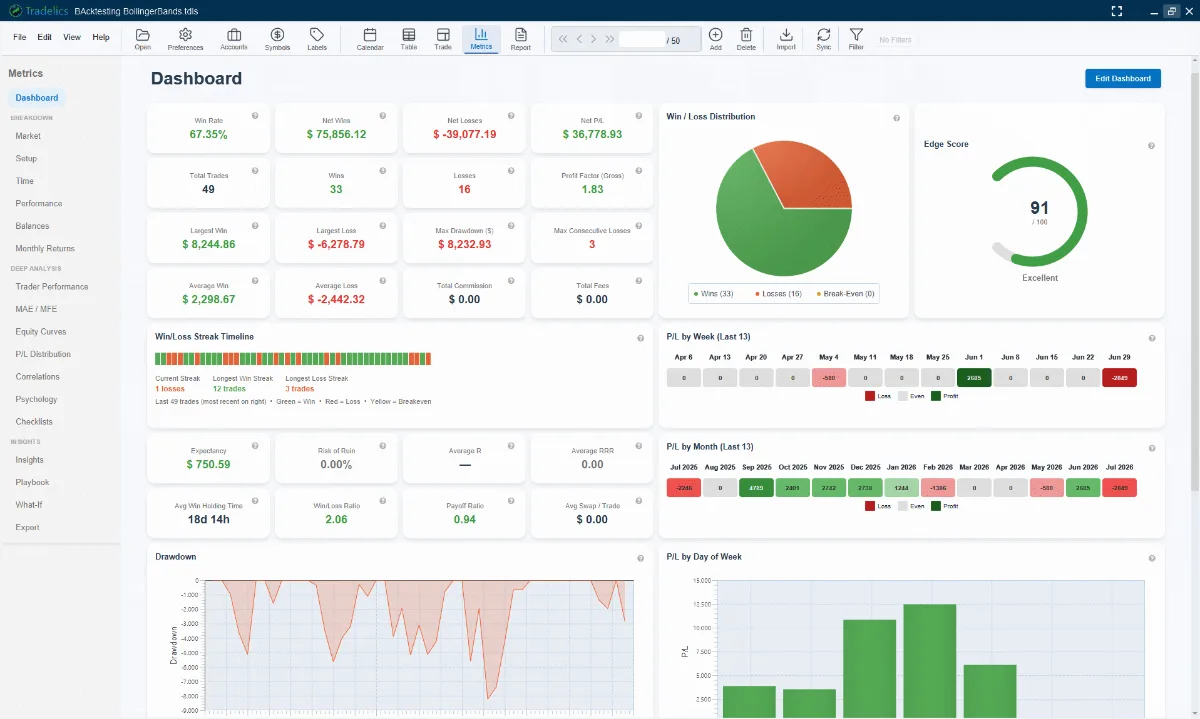
A journal that only stores trades is a spreadsheet. Tradelics gives you 18 performance-analytics pages, from Win Rate to Psychology. The dashboard shows an Edge Score, win/loss distribution and streak timeline at a glance; dedicated pages break performance down by instrument, setup and time of day — including an hour-by-day heatmap — and track MAE/MFE, equity curves and correlations between instruments.
Because every trade is labelled and reviewed, you can filter on anything — “show me every trade where I didn’t follow my plan” — and the Trades table, Metrics and Calendar all reflect the same active filter. Export any view to PDF, Excel or CSV, for example to share with a mentor or prop firm.
No subscription
One payment. No subscription. No automatic renewal.
Tradelics is a one-time purchase and your license never expires — whether or not you ever buy another update. The current price is €79 as part of the Launch Offer for the first 100 customers, with every new feature free for 2 years; the regular price afterward will be €149. There are no tiers or paid add-ons: one license activates Tradelics on your machine via a license key, and no account is required. Every purchase is covered by a 30-day money-back guarantee.
Standard licenses (after the Launch Offer closes) work the same way with a 12-month included update period instead. Either way, once your included period ends, nothing you already have is taken away — you just won’t automatically receive newer features. If you want those later, a separate 12-Month Update Pass (€59, one-time) is always available — never required, never billed automatically. Full details on the Updates & Upgrades page and on pricing.
Who it is for
Built for traders who want their data on their own PC.
Windows-based traders
You trade on a Windows desktop with MetaTrader, NinjaTrader or cTrader and want a journal that sits next to your platform. macOS and Linux versions are planned, not available yet.
Prop firm and multi-account traders
Add any account — live, demo or prop firm challenge — track them side by side, and analyze them separately or together. Multi-currency P&L converts to a single base currency.
Privacy-minded traders
You would rather not upload your trade history to a third party, and want a journal that lives on your own PC.
Tradelics is available in English, German, Spanish and French.
Desktop trading journal: common questions
What is a desktop trading journal?
Is there a trading journal for Windows that works offline?
Which brokers and platforms can Tradelics import from?
Is my trade data stored in the cloud?
Is there a free offline trading journal?
Is Tradelics a subscription?
Will I have to pay again for updates?
Does it work on Mac or Linux?
More answers in the full FAQ and the user guide.
Try the desktop trading journal that stays on your PC.
One-time payment · 30-day money-back guarantee · No subscription ever
No email, no card, no account needed for the trial.
Features · Pricing · User guide · FAQ