
Trade details
One record for the whole trade, not just the result.
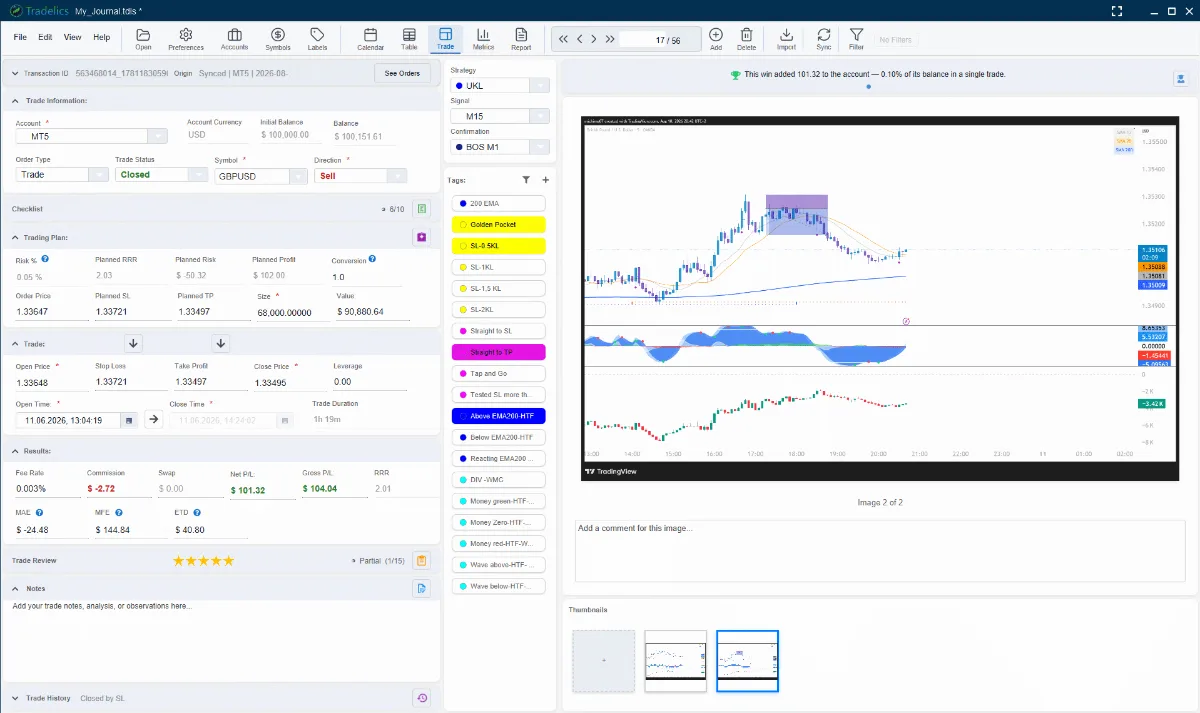
Every trade carries its own plan — risk, planned R:R, entry and stop — recorded before you click. Attach chart screenshots directly to the trade, tag it with your strategy, signal, and confirmation labels, and write it up in a full notes editor — load and edit your own templates so pre- and post-trade write-ups follow the same structure every time.
When it closes, a Trade Review walks you through planning, execution, psychology, and discipline — fully customizable, so the questions match how you actually think about a trade. Pre- and post-trade checklists add a second, simpler layer of systematic review. Every answer feeds the Psychology analytics in Metrics, and you can filter on any of it later (“show me every trade where I didn’t follow my plan”).
Trade mentor
A second opinion, built from your own history.
Trade Mentor is a rule-based advisory system that compares each trade against your own performance baseline — not a generic benchmark — and surfaces what’s actually relevant, at every stage.
Planned
Flags a missing stop loss, a thin planned risk-reward ratio, and risk sized above your usual — before you enter.
Open
Time-in-trade warnings when you’re outside your typical holding range, drawdown alerts, and plan-deviation indicators while it’s live.
Closed
Actual R-multiple vs. your typical R, MAE/MFE capture, entry slippage, fee impact, and a strategy-context card showing that setup’s historical win rate.
Metrics
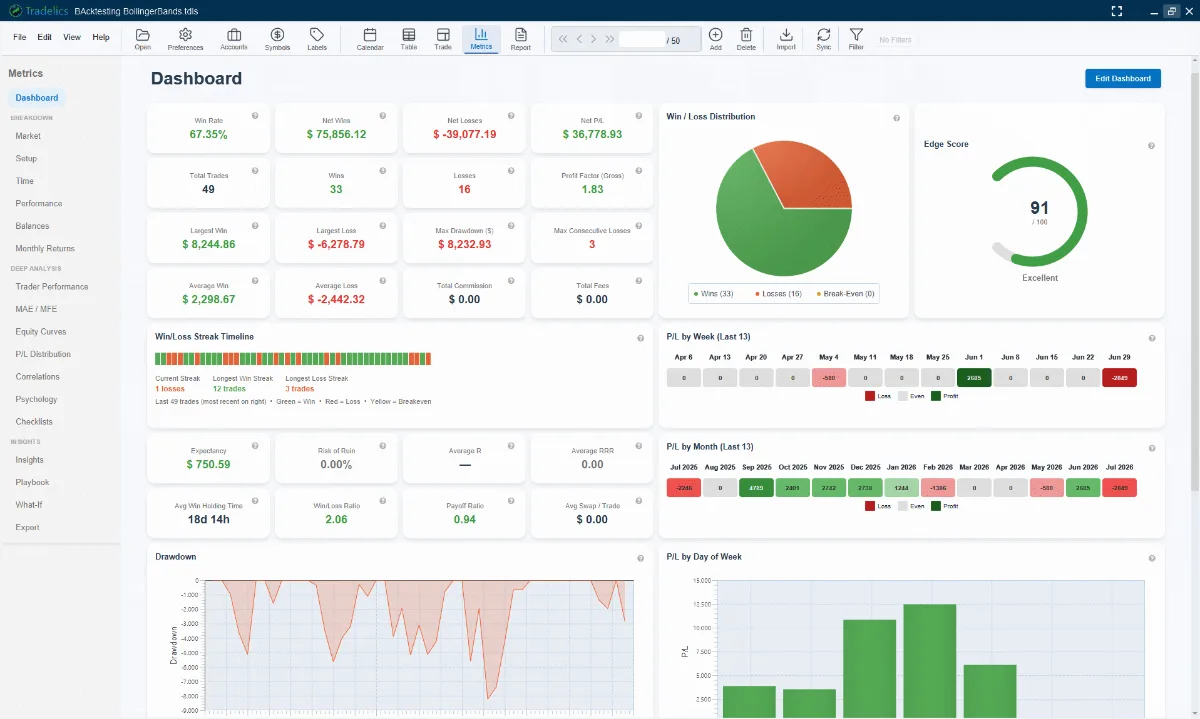
18 ways to see your own trading clearly.
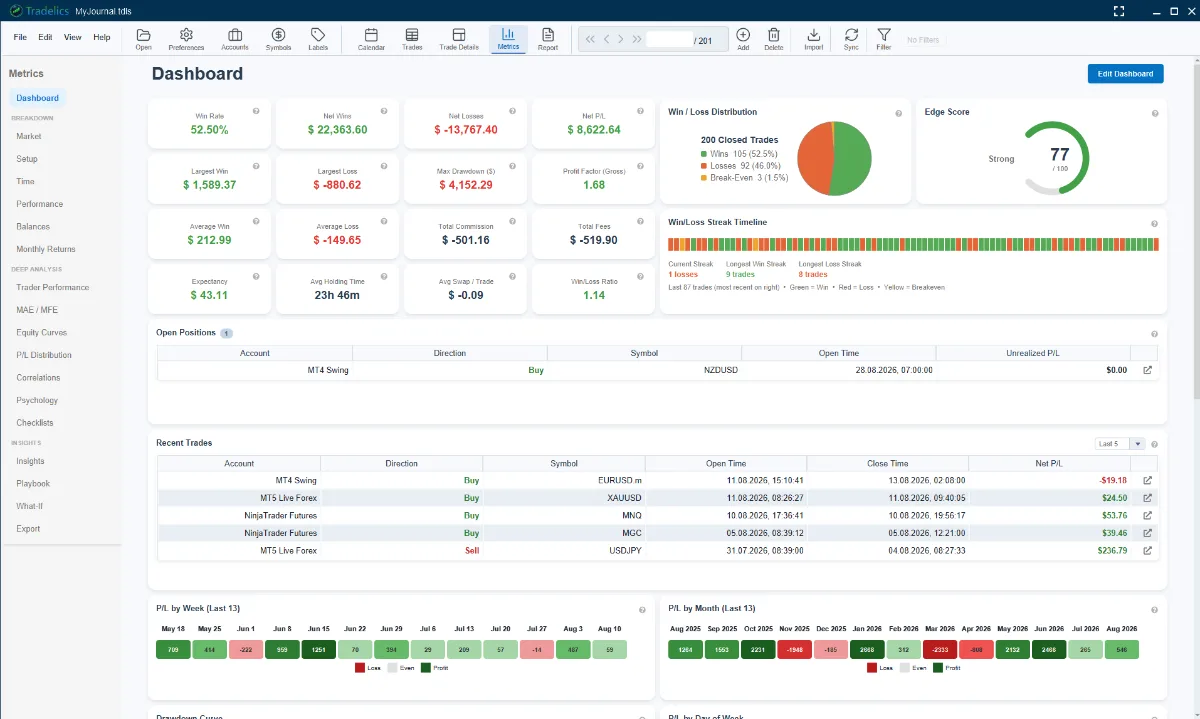
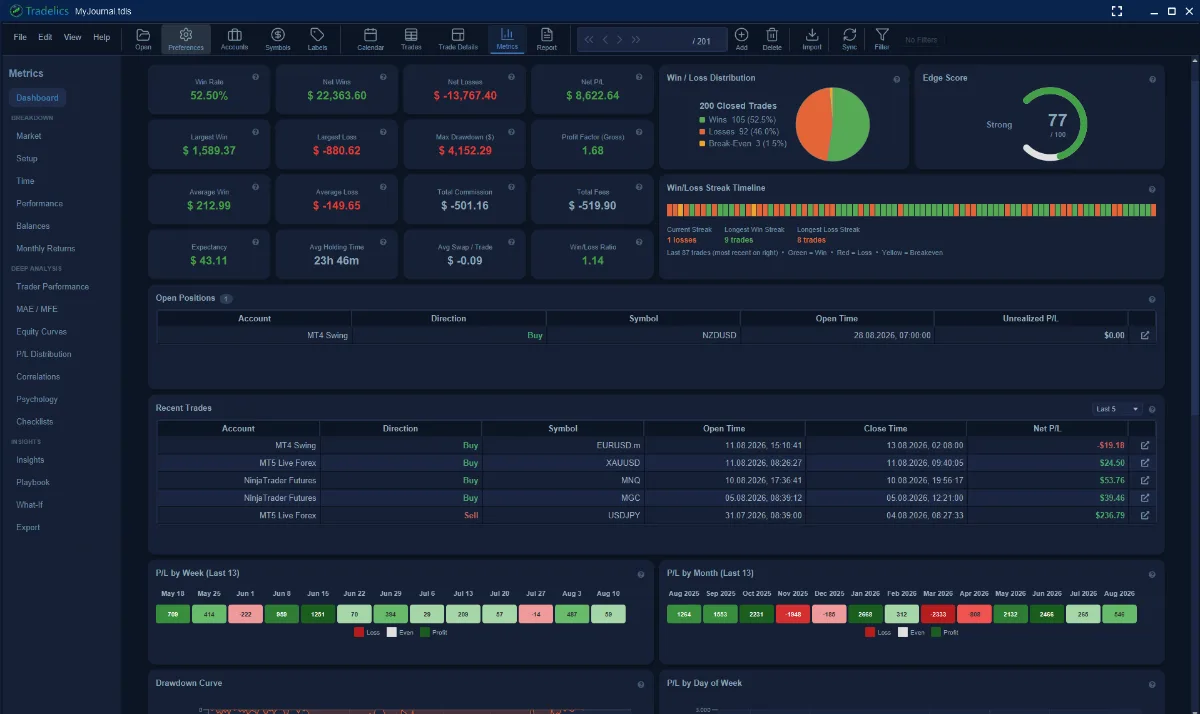
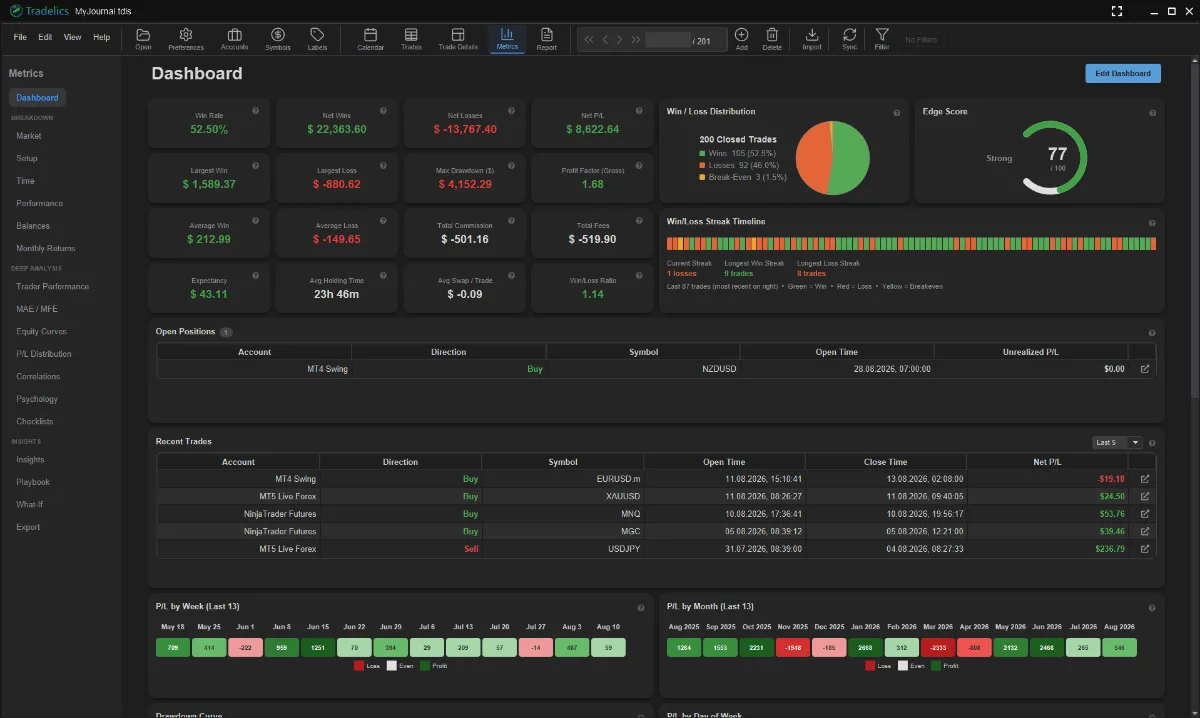
The Dashboard gives you an Edge Score, win/loss distribution, and streak timeline at a glance. Beyond it, dedicated pages break performance down by instrument, setup, and time of day — including an hour-by-day heatmap — track MAE/MFE, equity curves, and correlations between instruments, and turn your Trade Review answers into psychology analytics.
Export any of it to PDF, Excel, or CSV.
Trades
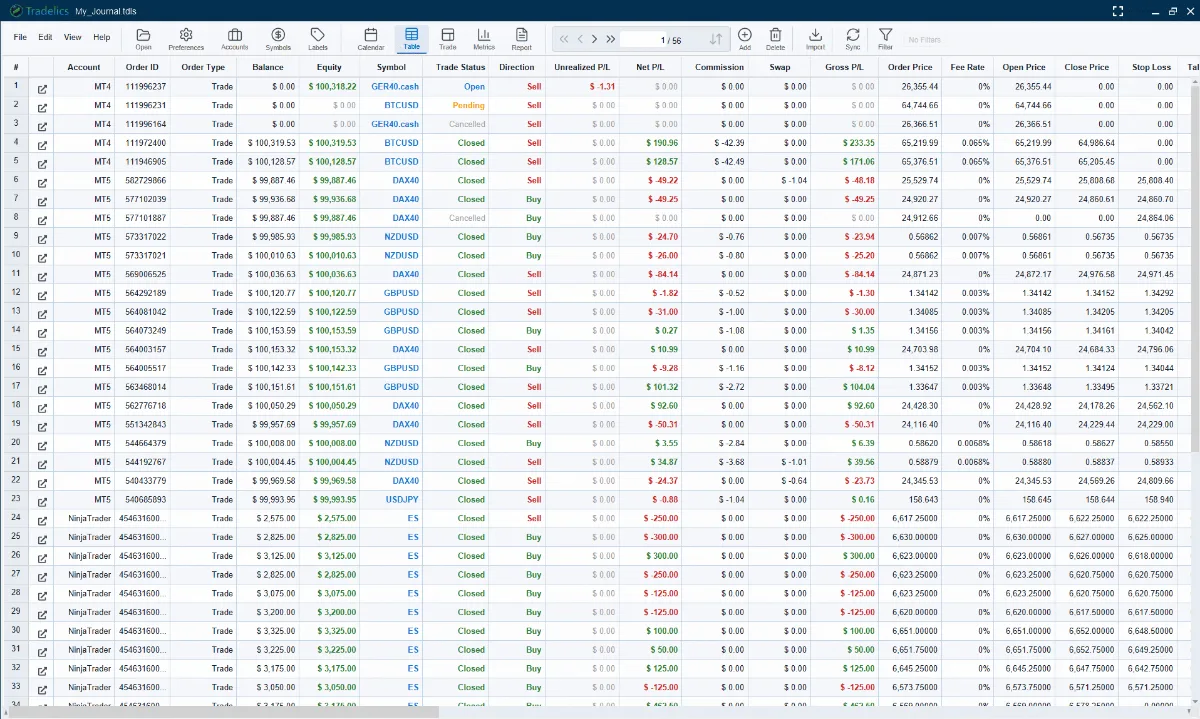
Every trade in one sortable grid.
Sort by any column, pick a column preset or show only the ones you actually use, and select trades the way you would in a spreadsheet — Ctrl or Shift-click, then edit one trade or many in a single dialog (tags can be added, removed or replaced in bulk, and everything is undoable), merge an execution with the planned trade it fulfilled, or delete in bulk.
The table always respects your active filter — and so does everything else in the app.
Organize
Tag it once, analyze it forever.
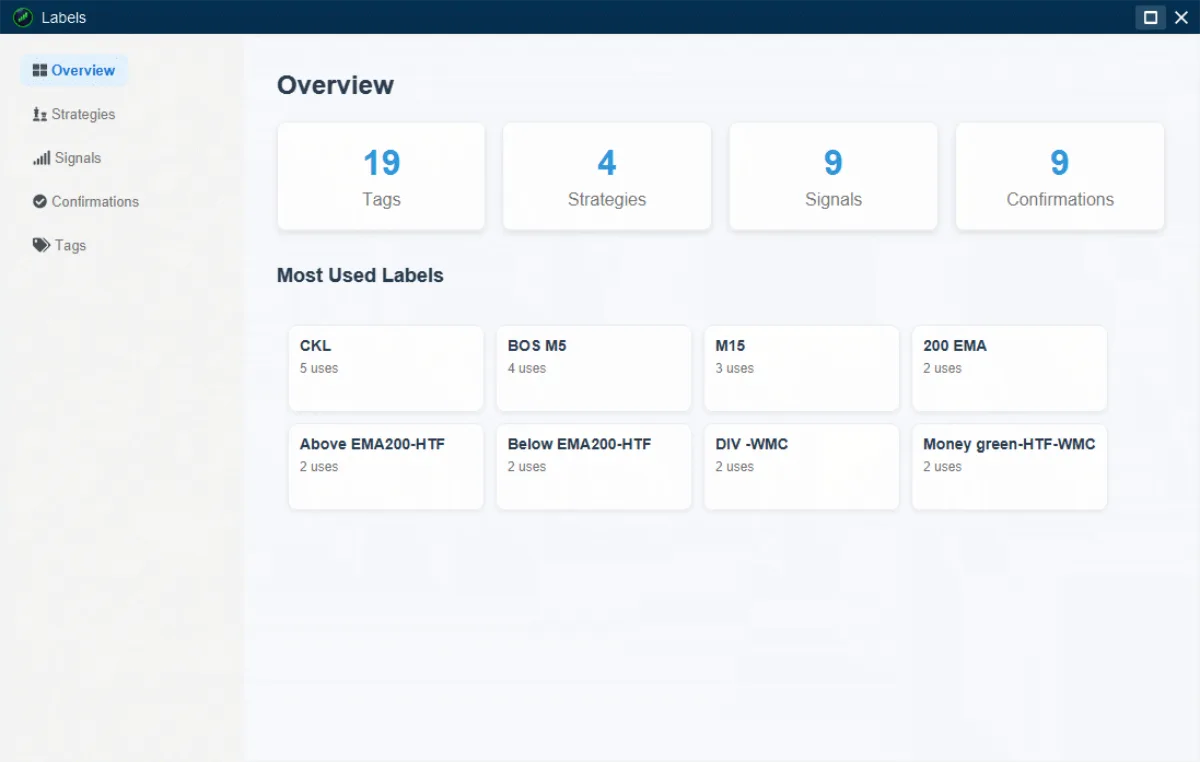
Four label types cover everything from your overall approach down to how you felt in the moment. Every one becomes a metrics breakdown and a filter.
Strategy
Your overall methodology — one label per distinct approach you trade.
Signal
The specific pattern or trigger that fired — more granular than Strategy.
Confirmation
An extra factor you required before pulling the trigger, so you can test if it actually helps.
Tags
Free-form — emotional state, execution quality, session, or anything else worth tracking.
Symbols
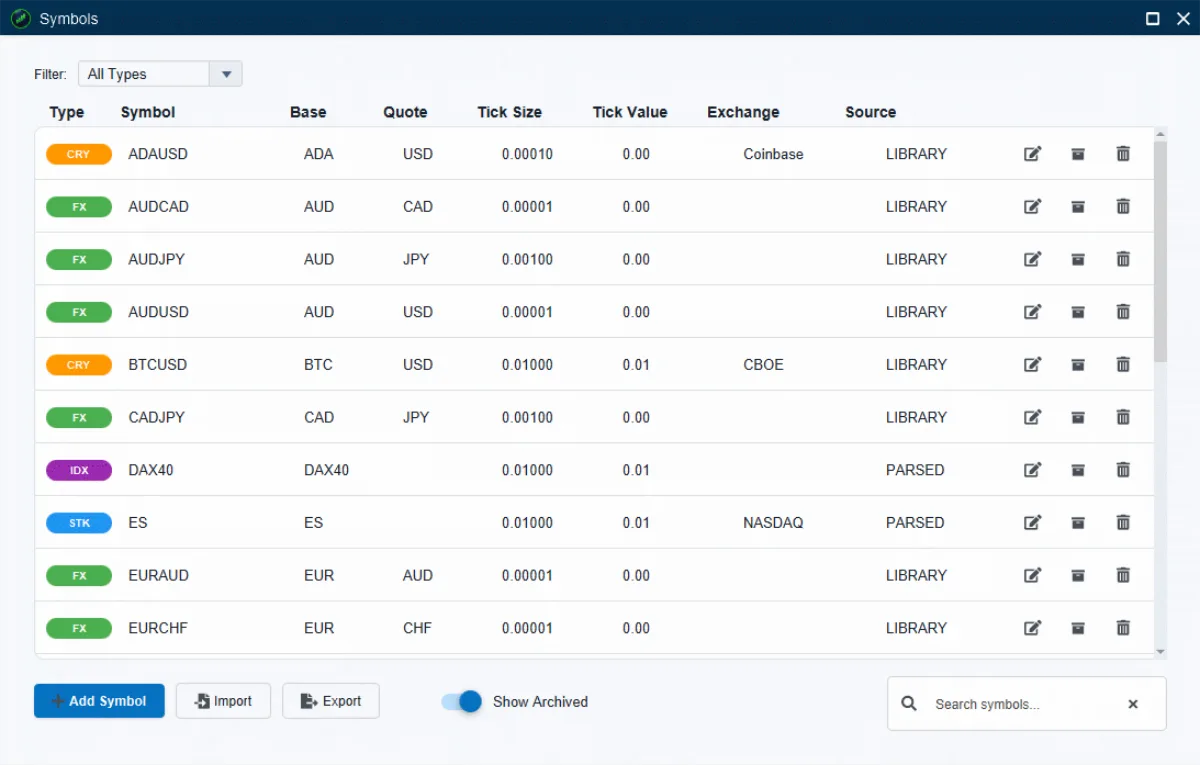
Forex, crypto, indices, futures, stocks — one library.
Every instrument that appears in your journal gets the right tick size and tick value automatically, resolved from a built-in library and refined as real trade prices come in. Search, filter by type, or add a custom symbol by hand — Import and Export keep your library portable.
Calendar
Every trading day, at a glance.
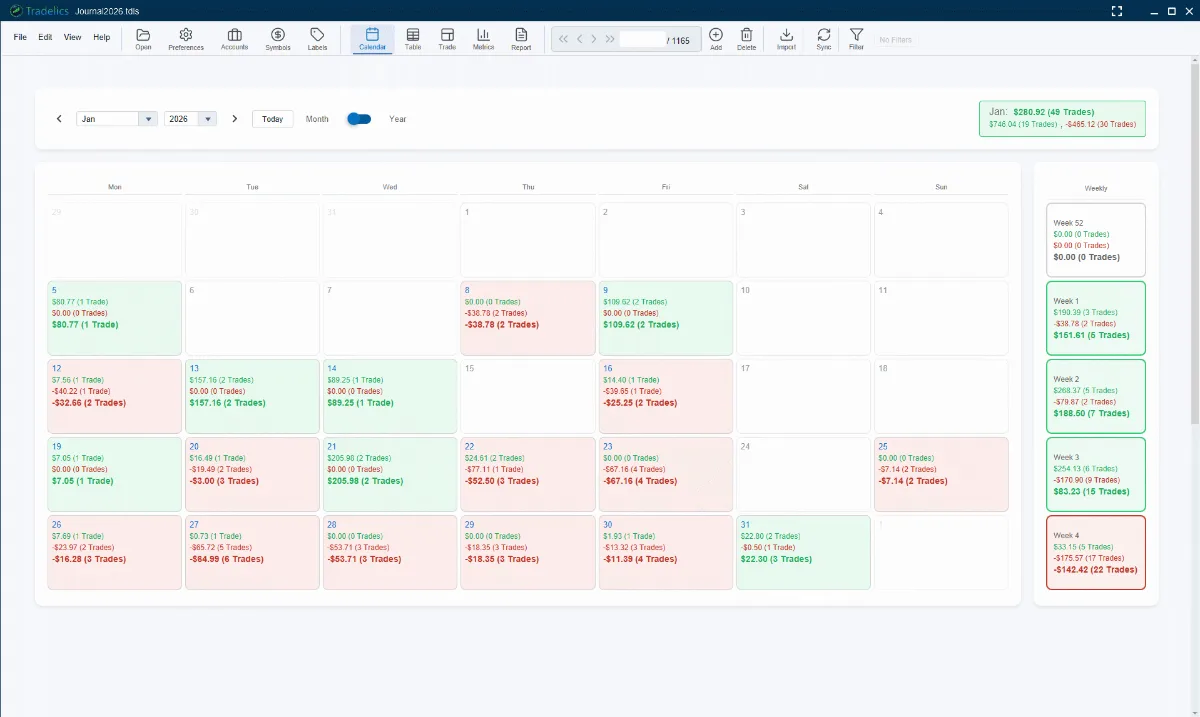
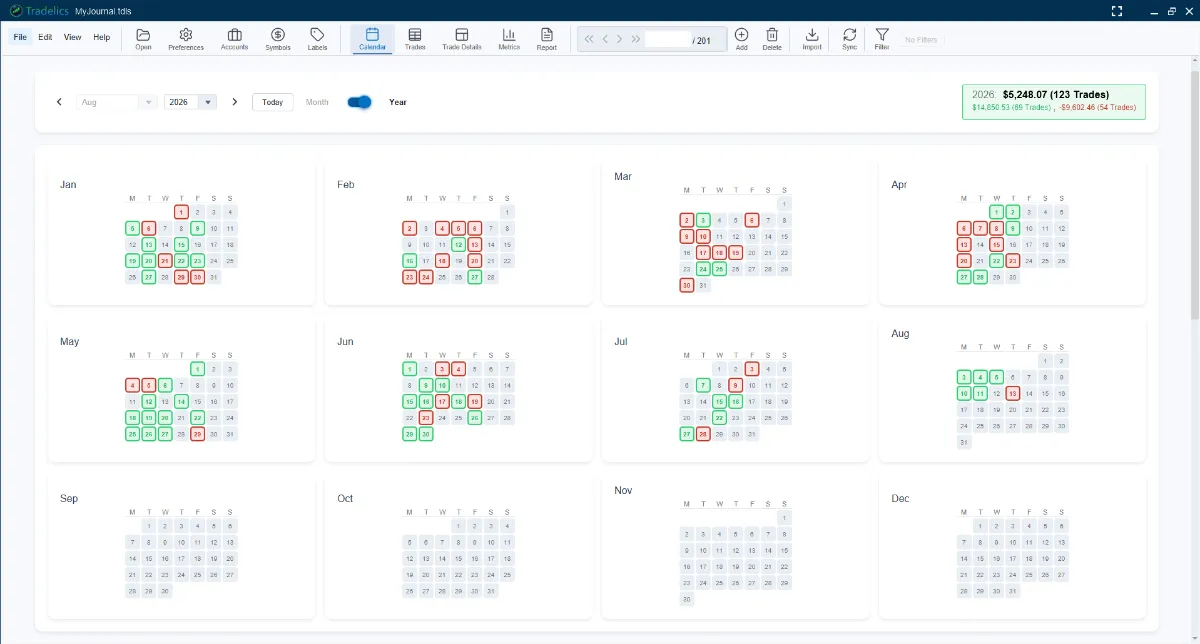
Green days, red days, and exactly why. Each cell on the monthly grid shows wins, losses, net P&L, and trade count for that day, with a weekly summary down the side and a month total to close it out. Switch to Year to see all twelve months at once, each with the same day-by-day detail and a running total for the whole year. Click any day, week, month, or year to drill into the trades behind it.
It’s one of the fastest ways to spot a pattern — do you consistently lose on Mondays, or over-trade after a losing week? The calendar respects your active filter, so narrow to one account or symbol and both views update with it.
Personalization
Make it feel like yours.
Tradelics adapts to how you trade, not the other way around. Switch between Light, Dark Blue, and Dark Black instantly, then go deeper: write your own Trade Review questions, build pre- and post-trade checklists, rearrange Trade Details’ three panels, choose which columns your Trades table shows, and set up Dashboard with the metric cards you actually use.
Regional settings are yours to configure too, down to whether forex sizes read as lots or units — so the app reads the way you think, not the way it was built.
Ask, show, review
Ask it, see it, read it back.
Four ways to get more out of the trades you have already logged.
Ask an AI about your trading
Ask Claude Desktop, or any app that supports MCP, about a month, a symbol or your notes, in plain language. It is read-only, off until you switch it on, and limited to the journals you choose. Every figure is calculated by Tradelics, not by the AI, and it runs on your own AI subscription at no extra cost.
Jump to the trade on your own chart
From the trade form, open the trade on TradingView Desktop, MetaTrader 4/5 or cTrader: Tradelics switches to its symbol and timeframe, draws it, and can save snapshots of several timeframes straight into the trade’s gallery. MetaTrader works on Windows only.
A report you actually read
Pick today, yesterday, this week, last week, this month or any custom range: net P/L, win rate, average R and rules followed at the top, trades grouped by day below. Read it on screen as a simple list or detailed cards, then export a compact PDF or Word document.
Sizes that say what they count
Lots, contracts, coins, shares or units, shown as a word next to the number. Mix forex, futures and crypto accounts in one journal and your risk and R figures still line up. Forex and CFD sizes can be shown as lots or units, whichever you think in.
Multi-account & multi-currency
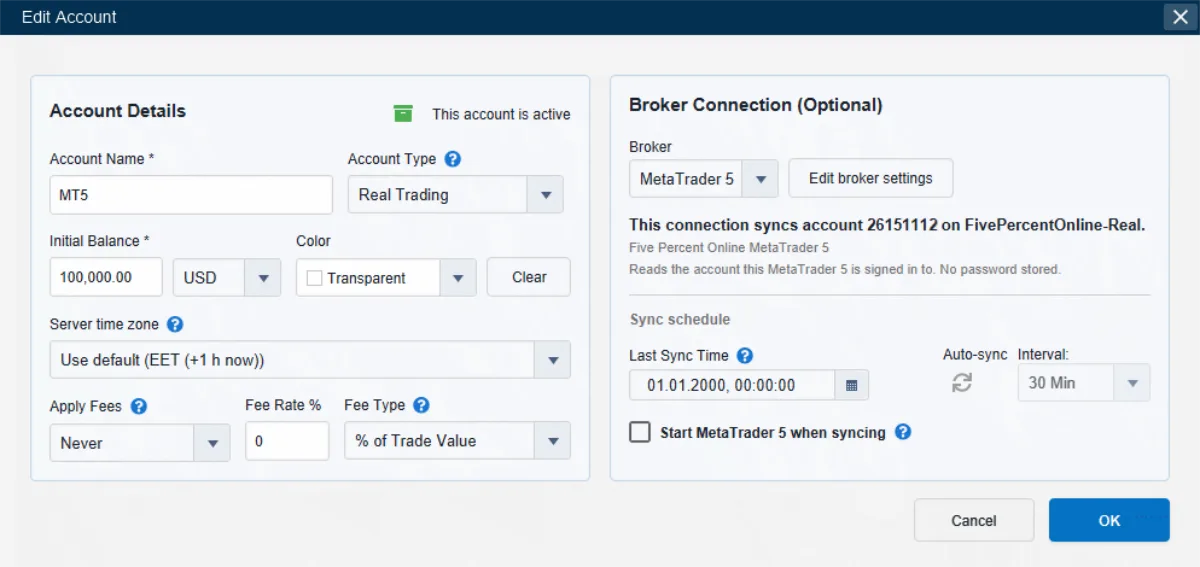
Any number of accounts in one journal. Mixed-currency P&L converts to a single base currency automatically.
Filtering
One filter, applied everywhere — the Trades table, Metrics, and Calendar all reflect the same active subset.
Import & export
Bring in any broker’s CSV with custom column mapping. Export your data or any metrics view to PDF, Excel, or CSV, and your reports to PDF or Word.
Language & regional settings
English, German, Spanish, or French, number format, date and time format — set once, applied everywhere.
See it for yourself.
One-time payment · 30-day money-back guarantee · No subscription ever
No email, no card, no account needed for the trial.